Reviewers just open a URL. No account needed.Point it out on the page. Fix it with AI
 .
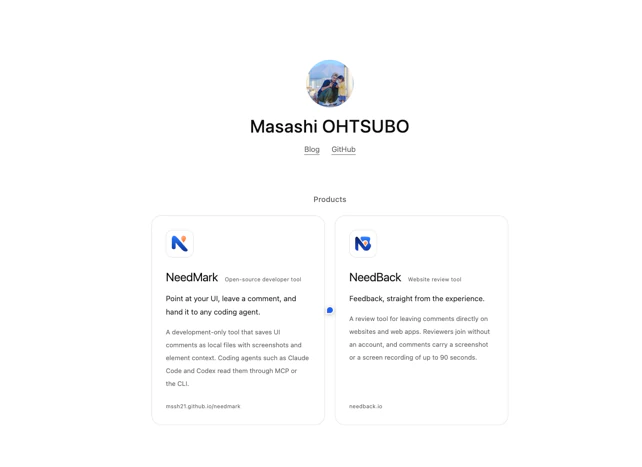
A review tool for leaving comments directly on websites and web apps.
Screenshots and URLs are saved automatically, and MCP hands them to your AI agent.
Connect AI agents to NeedBackMCP integration
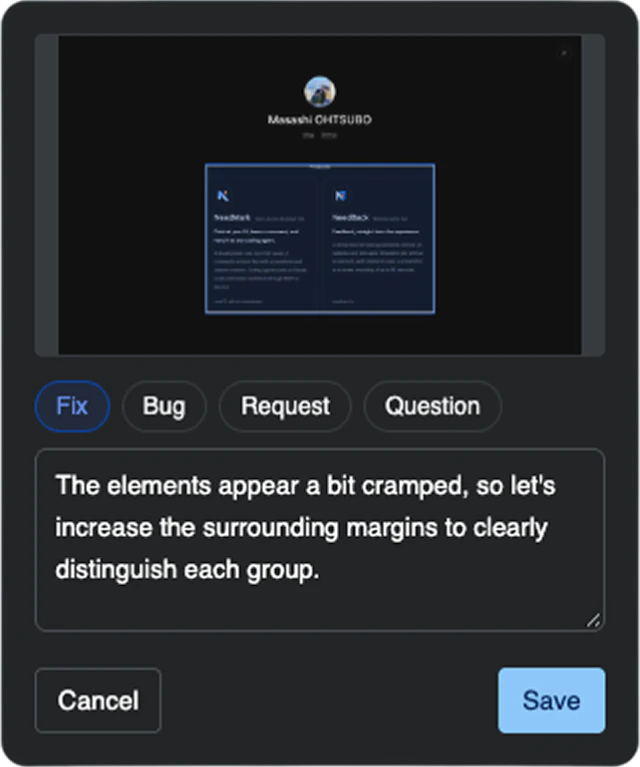
What NeedBack does
For internal reviews and client feedback alike
No sign-up
Open the URL and start reviewing
Ask clients for a review without asking them to sign up or install anything.
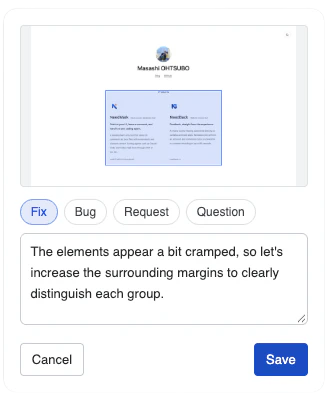
Feedback on the page
The screen and URL are recorded for you
Screenshots and viewport widths are saved too, so no one has to explain which page they mean.
Track by status
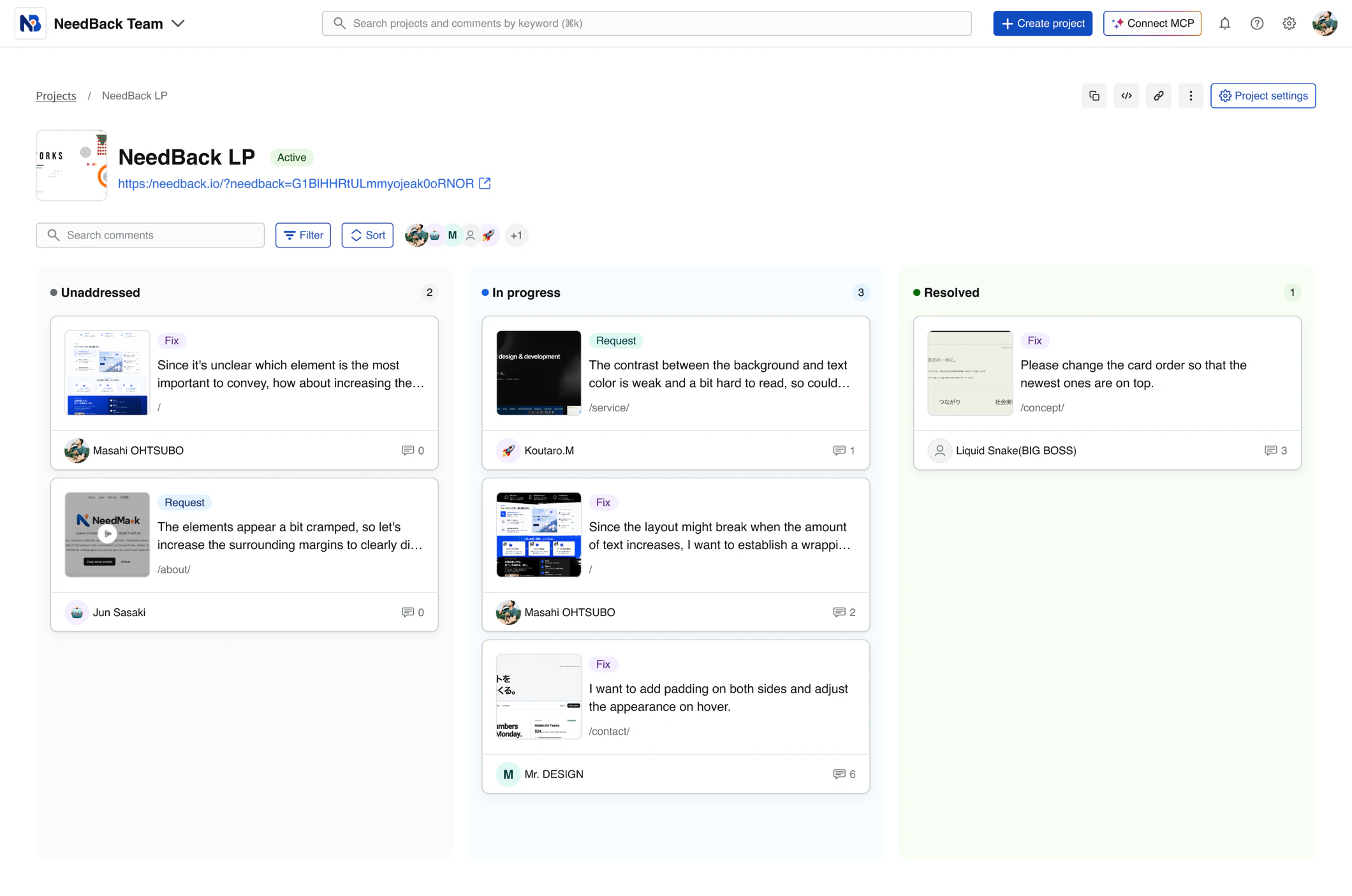
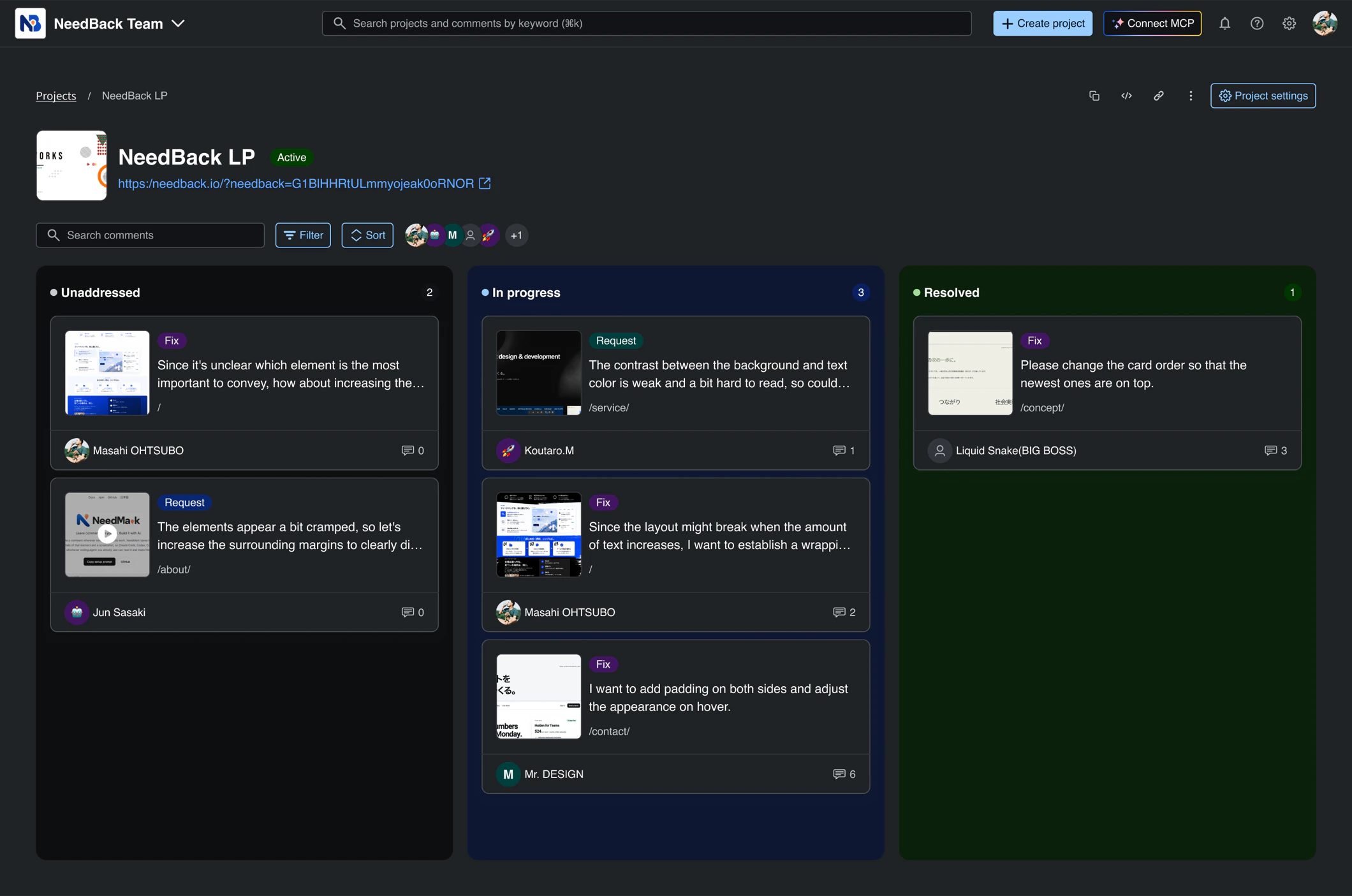
Manage incoming comments on a board
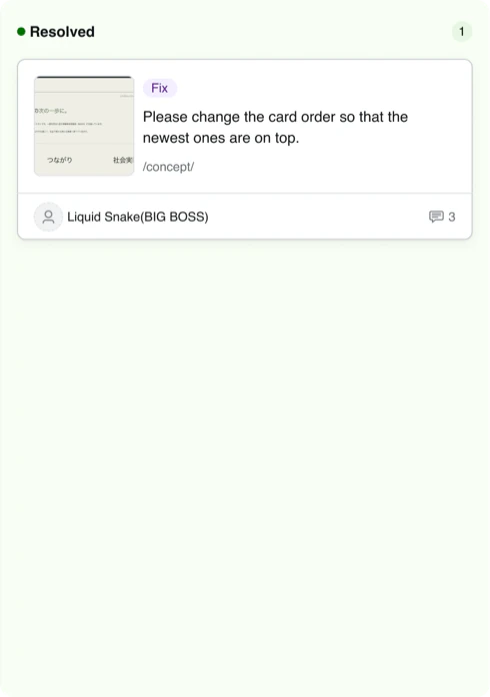
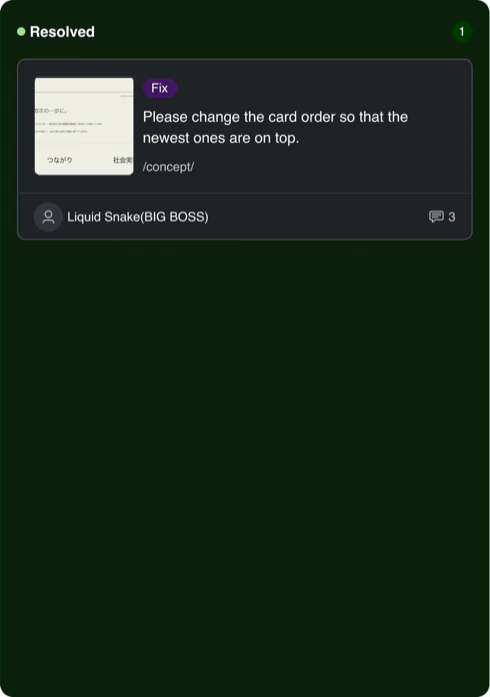
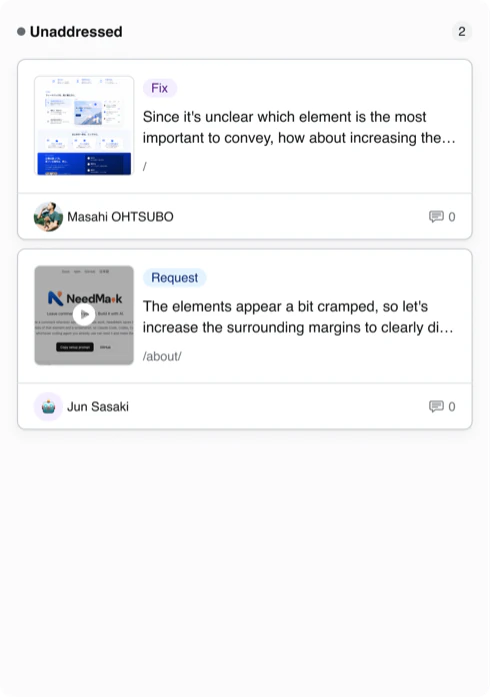
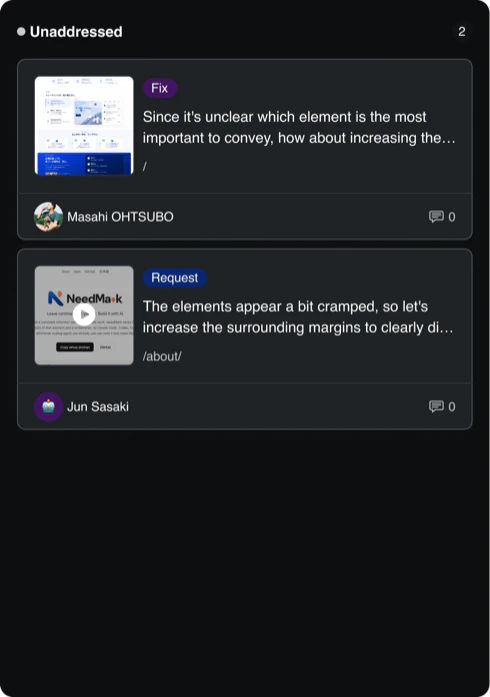
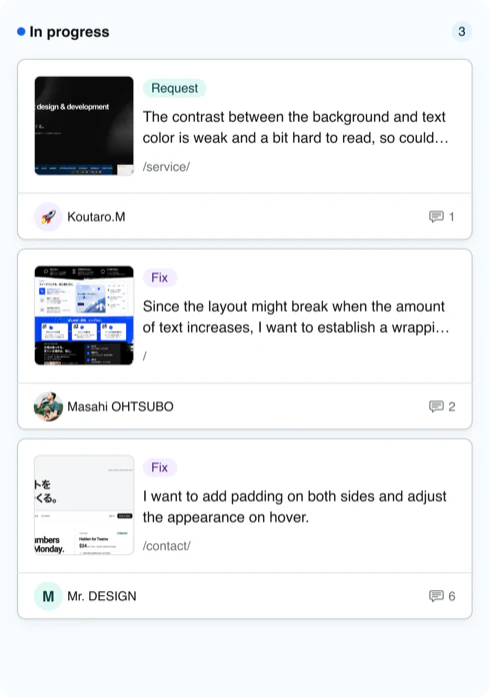
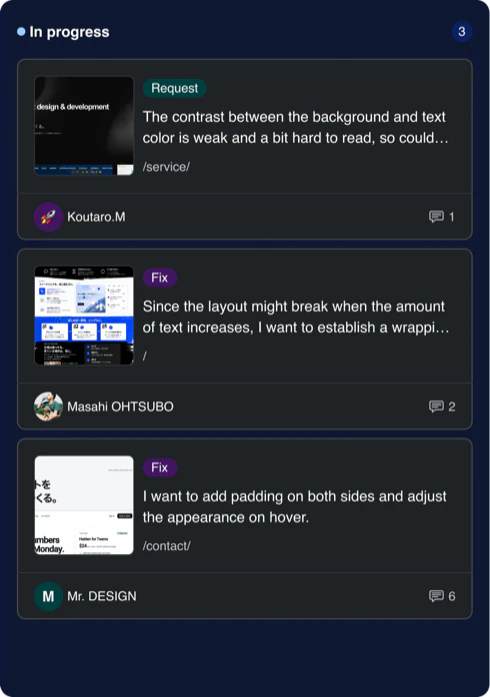
Comments are split into Unaddressed, In progress, and Resolved, so what is left and what was missed is clear at a glance.
Control who sees what
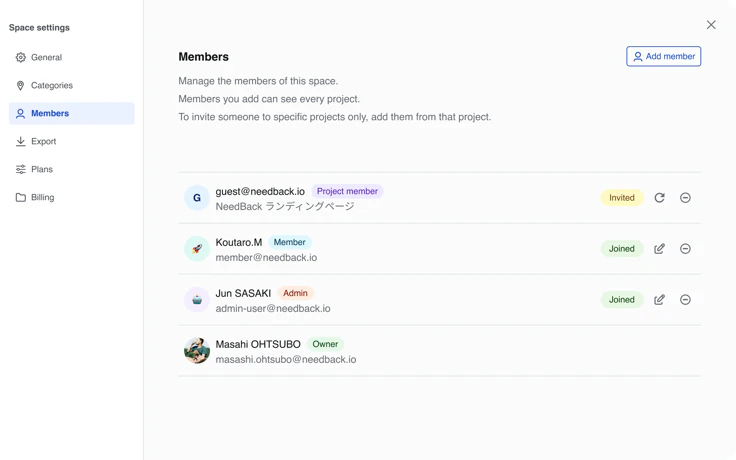
Choose who can view each project
Show outside partners only the projects they work on.


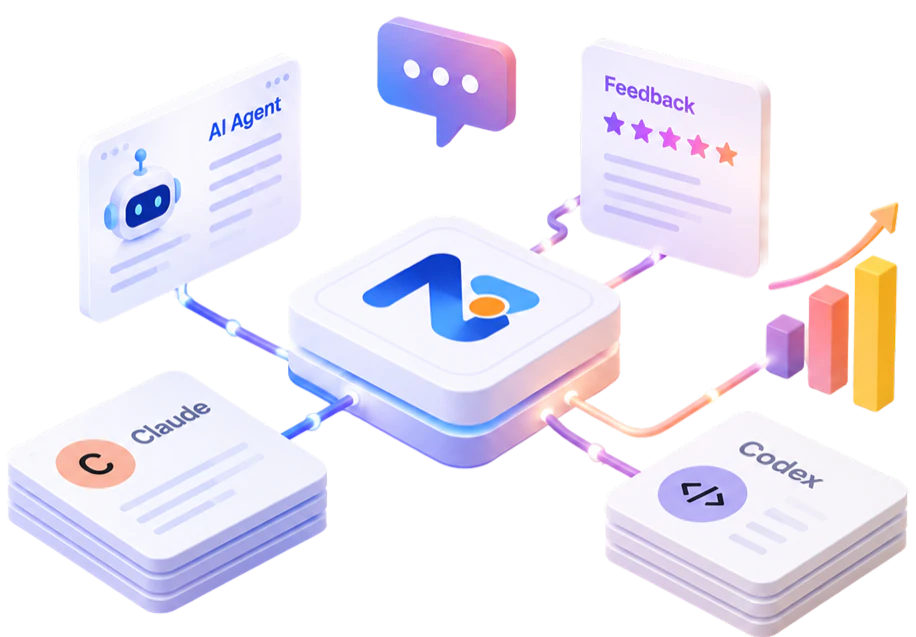
Connect your AI agent to NeedBack with MCP
AI agents such as Claude Code and Codex read unaddressed comments, start on the fixes,
and update the status. No need to rewrite feedback for the AI.
Available on every plan.
Features that cut review busywork
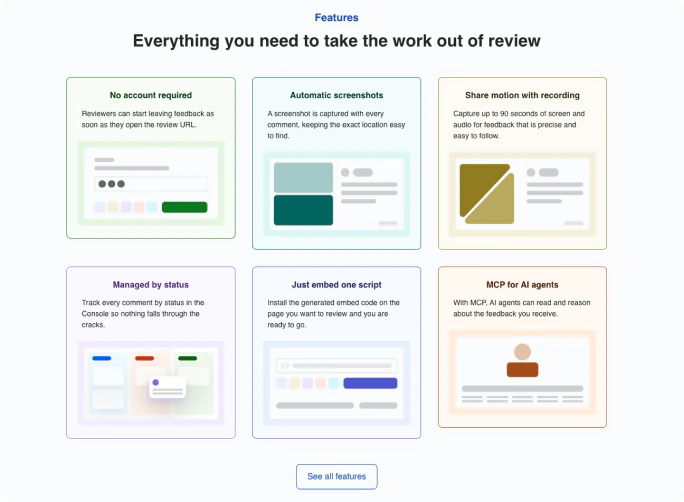
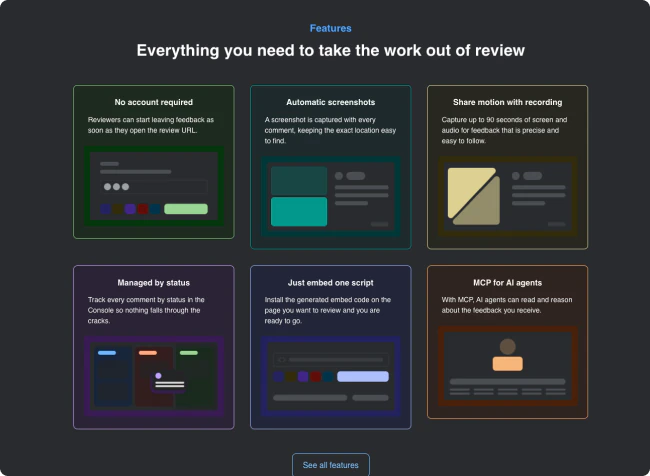
No reviewer accounts
Just open the URL. No sign-up, no install.
Automatic screenshots
Each comment keeps a screenshot of the screen along with the URL and viewport width.
Screen recording
Show motion or interaction bugs with up to 90 seconds of screen recording and voice.
Status tracking
Track progress as Unaddressed, In progress, and Resolved so nothing slips through.
One-line install
Paste the tag issued in the console into your page. That is all.
MCP integration
AI agents read comments and their target elements, and can update the status.
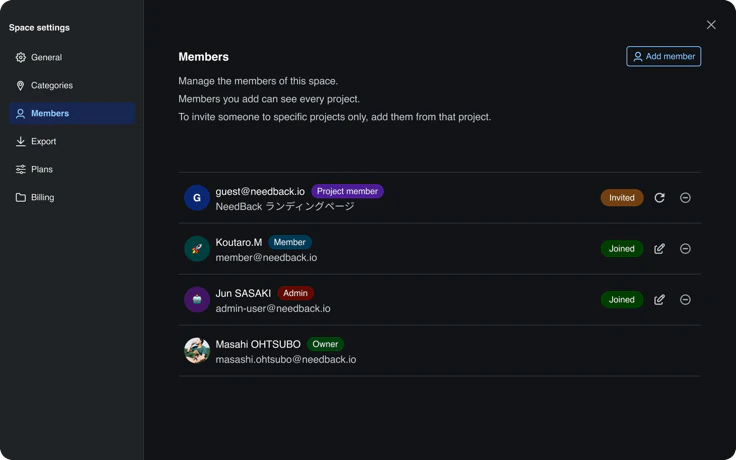
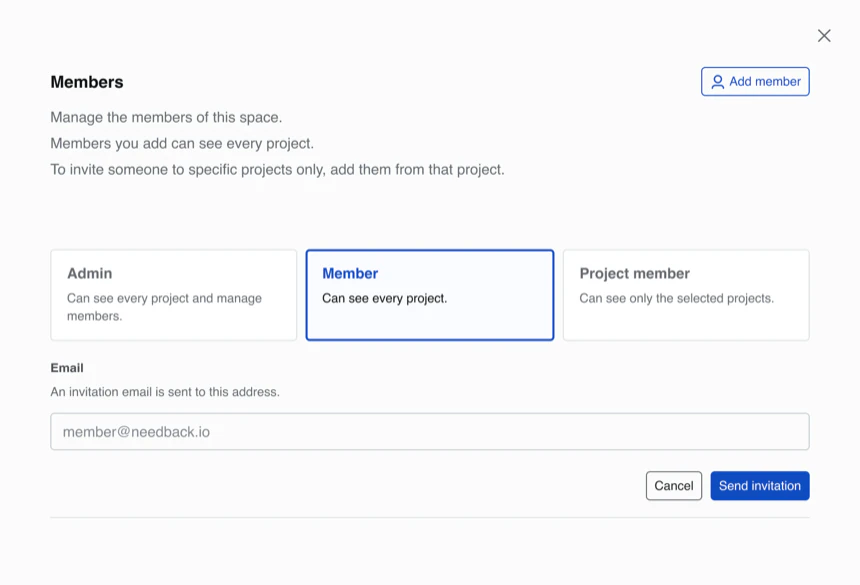
- Member management
- Unlimited reviewer invites
- Categories
- Comment replies
- Comment export
* Limits on recordings and comments depend on the plan.
Where it helps

How teams use NeedBack
 Case 1
Internal review
Checking staging before a release
Install the tag on staging and share the review URL with your team or QA. Feedback stays on the page; assign it, move it through statuses, and reply when it is fixed.
Highlights
- Screenshots, URLs, and viewport widths needed to reproduce are saved, so fewer follow-up questions
- The board shows what is left, making it easier to decide whether to release
 Case 2
Working with clients
Pre-delivery checks at an agency
Email the review URL of the site you are rebuilding to your client. They click whatever bothers them and comment, no sign-up needed. Motion that is hard to describe can be shown with a screen recording and voice.
Highlights
- Feedback scattered across spreadsheets of pasted images and chat threads comes together on the page
- No need to ask clients to sign up for a tool or learn how to use it
 Case 3
Post-launch maintenance
Fixes with AI
Keep the tag on the production site and ask people to comment on the page where something needs fixing. New comments arrive in a digest email, so you can have an AI agent such as Claude Code read the unaddressed comments over MCP and work on the fixes.
Highlights
- Intake, fixes, and reporting all connect through NeedBack
- No more rewriting feedback for the AI
Pricing
Start free and move to Pro when you need it
Prices are in US dollars. No tax is added.
Free
For individuals and small teamsStart without a credit card.
$0Free
Up to 3 members
- IncludedUnlimited reviewer invites
- IncludedMember permissions
- IncludedMCP integration
- IncludedProjects Limited (up to 5)
- IncludedComments Limited (50 / month)
- IncludedScreen recording (3 / month)
- IncludedData retention (30 days)
- Not includedProject restore
- Not includedExport
Pro
For teamsFor production teams reviewing every week.
- IncludedUnlimited reviewer invites
- IncludedMember permissions
- IncludedMCP integration
- IncludedProjects Unlimited
- IncludedComments Unlimited
- IncludedScreen recording (50 × members / month)
- IncludedData retention (1 year)
- IncludedProject restore (30 days)
- IncludedExport (Markdown, CSV)
FAQ
Evaluating NeedBack
What does NeedBack do?
It is a review tool that lets people leave comments directly on the page they are looking at. Each comment records the URL, viewport width, scroll position, and target element. A screenshot is saved when capture succeeds; if it does not, the comment can still be posted without visual evidence.
Do reviewers need to create an account?
No. Reviewers open the shared review URL and click on the page. Entering a display name lets you tell who wrote what; leaving it blank shows the reviewer as “Guest.” There is no signup and nothing to install.
Does setup require code changes?
Paste the one-line <script> tag issued in the console into your page. It works on pages that can load an external script; if a Content Security Policy restricts network destinations, allow the NeedBack CDN and API.
What kinds of sites does it work on?
Any page where you can add a <script> tag — static sites and SPAs alike. Each project registers one domain, and the widget only runs on pages of that domain.
Can reviewers use it on a phone or tablet?
No. NeedBack is for desktop browsers. On phones and tablets the widget does not start, so comments cannot be posted or viewed there.
Does it work on pages behind a login, or on staging before launch?
Yes. As long as you can install the tag and the page is on the domain registered to the project, pages behind authentication work too — reviewers just need to be able to reach the page themselves.
Will it affect my site's styling or CSS?
The widget UI is fully isolated inside a Shadow DOM. There is no global CSS leakage and no permanent styles injected into your elements.
Will it slow down my page?
It adds a script and a settings request, so the impact is not literally zero. The initial production bundle is capped at 80KB gzipped in CI, while screenshot, recording, and Markdown rendering code is loaded only when needed.
Will passwords or sensitive data end up in screenshots?
input[type="password"] and any element marked with data-needback-redact are masked before capture. Other sensitive information is not detected or hidden automatically, so mark every additional element you want redacted with data-needback-redact.
Where are screenshots and recordings stored, and how long do they stay?
They are stored in NeedBack’s private storage. Space members can view evidence for comments in the projects visible to them, while a shared-link reviewer can view evidence only for comments posted by their current session. Authorized MCP clients receive the available evidence, while Pro Markdown / CSV exports include signed evidence links that expire after 10 minutes. CSV + evidence ZIP exports include the original files. Retention is 30 days on Free and 1 year on Pro; comments and evidence beyond that window are deleted automatically.
How much can I do on the free plan?
Free includes 5 projects, 50 comments per month, 3 screen recordings per month, 30-day retention, and 3 members. Comment and recording allowances are per space. No credit card required.
Do I pay per reviewer?
No. Shared-link reviewers are not billed by headcount. The Pro price is based on seats for managing-side space members, and up to 3 seats are covered by the base price.
What does Pro cost, and how do I pay?
Pro is a base price that covers up to 3 seats, plus a per-seat price from the 4th seat. You can choose monthly or annual billing, and the pricing page shows the latest prices. The English pages sell Pro in US dollars and the Japanese pages in Japanese yen; Japanese consumption tax (10%) is added to prices in Japanese yen only. You can subscribe from a single seat, and payment is by credit card through Stripe only. The space owner subscribes from Space settings → Plans in the console.
Can AI agents use it?
MCP-compatible clients such as Claude and Cursor can read comments and update their status. It is available on every plan, and what a client may do is decided by the scopes on its token.
How do I get started?
Sign up, create a project with one domain, install the tag it issues on that page, and share the review URL.
Already using it
Reviewers see "comment limit reached".
When the Free monthly comment allowance runs out, reviewers can no longer post and NeedBack notifies the space owner and admins in the app. The monthly allowance follows the calendar month, not your billing date: it resets on the 1st of each month at midnight Japan time, and posting resumes then. Pro has no comment limit, so posting resumes as soon as the owner subscribes to Pro.
What happens to my bill if I add a member during an annual term?
Seats follow the number of members in the space, so accepting an invitation adds one seat. The base price covers 3 seats, so the bill does not change up to the third member. Each seat from the 4th uses your contracted additional-seat price (excluding tax), prorated over the remainder of the term. With nine months left on annual billing, that is roughly three quarters of the additional-seat annual price. That difference is not charged on the spot — it is added to your next invoice: the next renewal on annual, next month on monthly. Removing a member does the reverse: the unused part is prorated as a credit and subtracted from your next invoice. We do not pay it back in cash. An invitation that has been sent but not yet accepted is never billed. Before sending one, the invite panel on the member management page shows your current seat count and price, what it becomes once the invite is accepted, and your next invoice date (owners and admins only). Those figures are full-period amounts; what actually gets added is the prorated share of them. Pro’s monthly recording allowance is per member, so adding a member also raises the recording allowance for the whole space.
Where do I change or cancel my plan?
The space owner manages it from Space settings in the console. Switch between monthly and annual billing under Plans. To move to Free (cancel), open the Stripe customer portal with Change to Free under Plans or the cancel button under Billing. If cancellation is scheduled for period end, Pro remains available until the subscription ends. Billing also lists past invoices with their dates and amounts, and lets you download them.
If I cancel, do I get a refund for the rest of the term?
No. Payments already made are non-refundable on both monthly and annual plans, including any prorated or unused part of the term, and cancelling an annual plan partway through is no exception. Because you keep Pro and your data until the current term ends, cancelling close to your renewal date wastes the least. Billing errors on our side, such as a duplicate charge, and refunds required by law are the exceptions — get in touch if you think one applies.
What happens to my projects if I go back to Free?
Your projects stay as they are. Free allows up to 5 projects, so while you have more than that you can’t create new ones. Projects under Archived in the project list can no longer be restored once you are back on Free, and they are deleted permanently. Comments and evidence become subject to Free’s 30-day retention period, and monthly comments and recordings fall back to the Free allowance.
I received a payment failure notification.
An expired card or declined charge may be the cause. The owner should open Space settings → Billing, use Update payment method to open the Stripe customer portal, and review the payment method and invoice status. If Stripe ends the subscription, NeedBack switches the space to Free.
A reviewer says they cannot comment.
Check in this order: 1. They are not on a phone or tablet — it is desktop only. 2. The page domain exactly matches the project’s registered domain. 3. The link is not an old review URL from before the share token was regenerated. 4. The widget is enabled. 5. The monthly comment limit has not been reached.
A reviewer session has expired.
A reviewer session expires 30 days after the reviewer last opened the review screen, on every plan. Opening it with fewer than 15 days left pushes the expiry back to 30 days, so it does not run out while a review is still going. After expiry, review the display name on the join screen and start again; leaving it blank shows the name as “Guest” instead. Existing comments remain, but the new session cannot edit or delete comments from the old session or view their evidence.
How do I delete my account?
A space owner requests account deletion from Account information, opened from the avatar at the bottom of the side navigation. On every plan it runs 14 days later, and you can cancel it any time before then. Spaces where you are the only owner are deleted along with your account — including spaces that still have other members — so the spaces about to go are listed before you confirm. When it runs, the account, those spaces, their projects, memberships, and stored data are deleted and any paid plan is cancelled. The remaining term is not refunded. Ownership cannot be handed to another member, and non-owners cannot leave a space on their own.
How can I contact you?
Contact us by email at hello@needback.io. NeedBack does not offer phone support.