FAQ
Before you add it, and after.
Evaluating NeedBack
- What does NeedBack do?
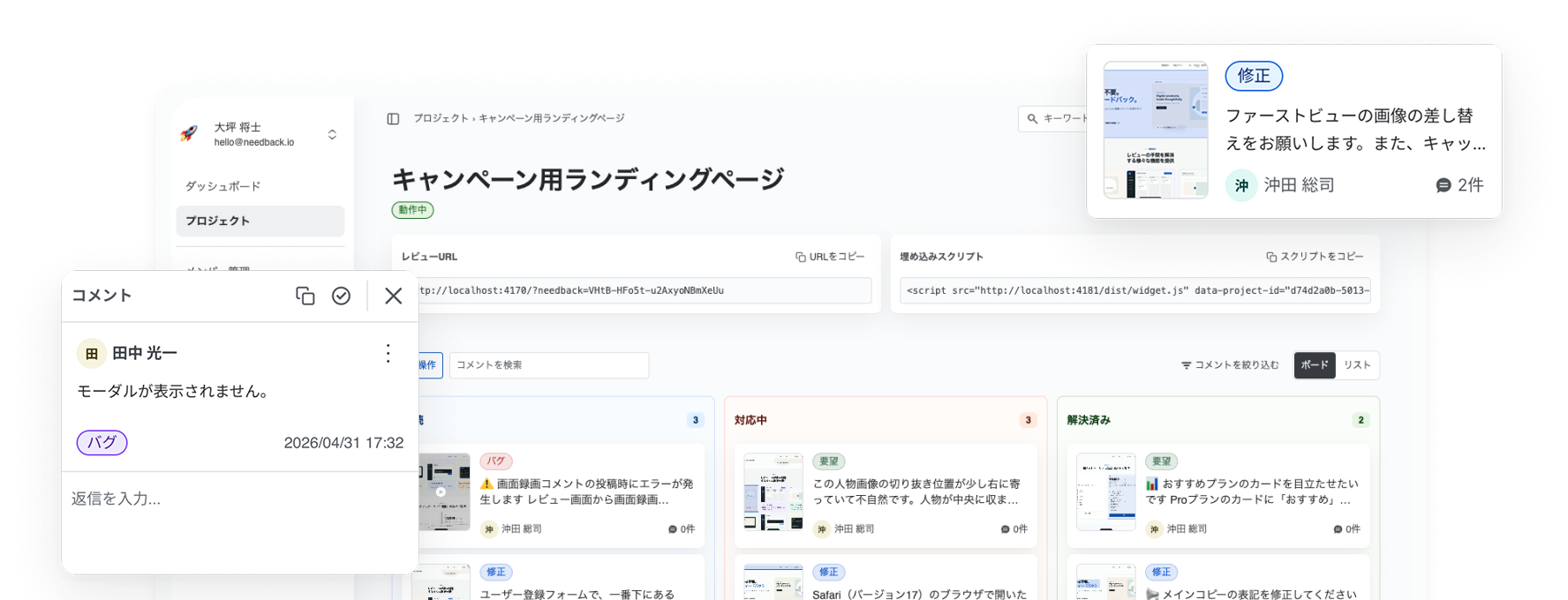
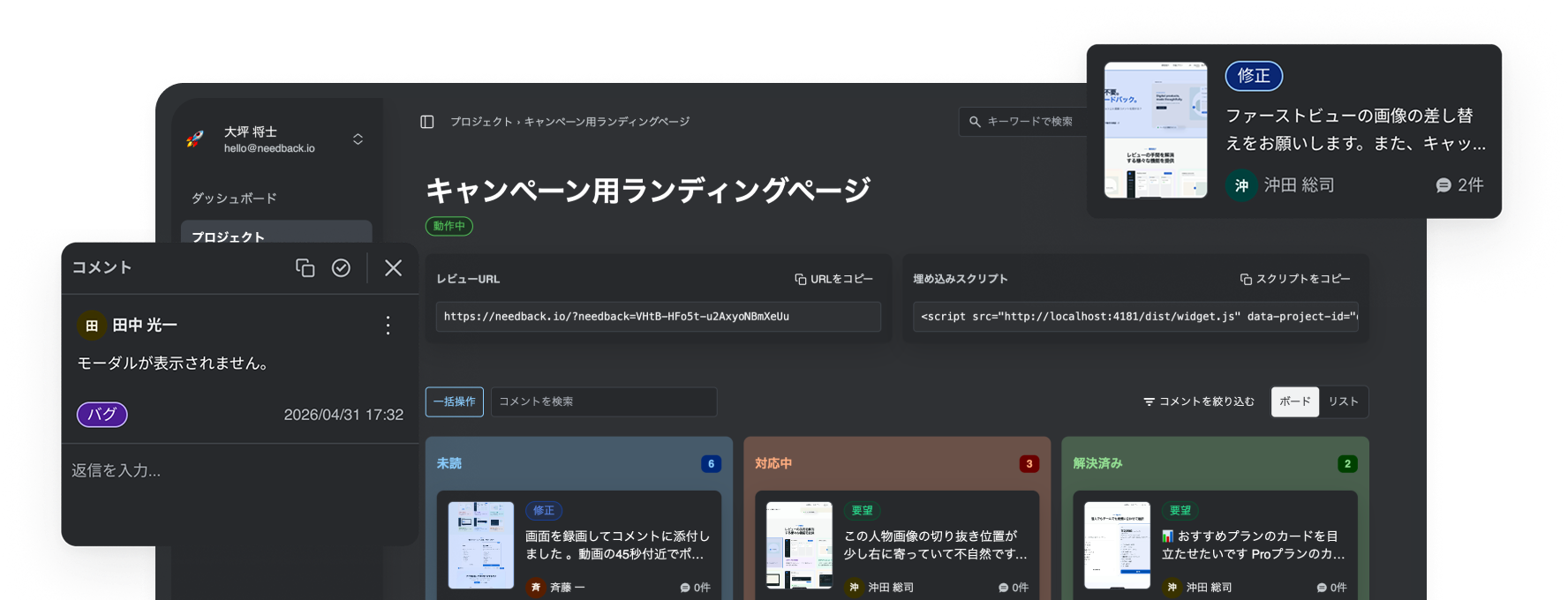
- It is a review tool that lets people leave comments directly on the page they are looking at. Each comment records the URL, viewport width, scroll position, and target element. A screenshot is saved when capture succeeds; if it does not, the comment can still be posted without visual evidence.
- Do reviewers need to create an account?
- No. Reviewers open the shared review URL and click on the page. Entering a display name lets you tell who wrote what; leaving it blank shows the reviewer as “Guest.” There is no signup and nothing to install.
- Does setup require code changes?
- Paste the one-line <script> tag issued in the console into your page. It works on pages that can load an external script; if a Content Security Policy restricts network destinations, allow the NeedBack CDN and API.
- What kinds of sites does it work on?
- Any page where you can add a <script> tag — static sites and SPAs alike. Each project registers one domain, and the widget only runs on pages of that domain.
- Can reviewers use it on a phone or tablet?
- No. NeedBack is for desktop browsers. On phones and tablets the widget does not start, so comments cannot be posted or viewed there.
- Does it work on pages behind a login, or on staging before launch?
- Yes. As long as you can install the tag and the page is on the domain registered to the project, pages behind authentication work too — reviewers just need to be able to reach the page themselves.
- Will it affect my site's styling or CSS?
- The widget UI is fully isolated inside a Shadow DOM. There is no global CSS leakage and no permanent styles injected into your elements.
- Will it slow down my page?
- It adds a script and a settings request, so the impact is not literally zero. The initial production bundle is capped at 80KB gzipped in CI, while screenshot, recording, and Markdown rendering code is loaded only when needed.
- Will passwords or sensitive data end up in screenshots?
- input[type="password"] and any element marked with data-needback-redact are masked before capture. Other sensitive information is not detected or hidden automatically, so mark every additional element you want redacted with data-needback-redact.
- Where are screenshots and recordings stored, and how long do they stay?
- They are stored in NeedBack’s private storage. Space members can view evidence for comments in the projects visible to them, while a shared-link reviewer can view evidence only for comments posted by their current session. Authorized MCP clients receive the available evidence, while Pro Markdown / CSV exports include signed evidence links that expire after 10 minutes. CSV + evidence ZIP exports include the original files. Retention is 30 days on Free and 1 year on Pro; comments and evidence beyond that window are deleted automatically.
- How much can I do on the free plan?
- Free includes 3 projects, 30 comments per month, 3 screen recordings per month, 30-day retention, and 1 member. No credit card required.
- Do I pay per reviewer?
- No. Shared-link reviewers are not billed by headcount.
- Can I subscribe to Pro?
- New sign-ups for the paid plan (Pro) and one-time add-on packs are currently closed while we review our plans. We will announce on this site when they reopen. The Free plan remains available.
- Can AI agents use it?
- MCP-compatible clients such as Claude and Cursor can read comments and update their status. It is available on every plan, and what a client may do is decided by the scopes on its token.
- How do I get started?
- Sign up, create a project with one domain, install the tag it issues on that page, and share the review URL.
Already using it
- Reviewers see "comment limit reached".
- When the Free monthly comment allowance runs out, reviewers can no longer post and NeedBack notifies the space owner and admins in the app. The monthly allowance resets the following month, and posting resumes then.
- How do the monthly allowance and add-on packs differ?
- The monthly allowance resets every month; add-on packs are one-time purchases valid for 12 months from the date of purchase. The monthly allowance is consumed first, then pack balances, starting with the lots that expire soonest. An add-on pack is a single charge separate from the subscription, paid at the moment you buy it. It does not change your seat count or your next subscription invoice. New add-on pack purchases are currently closed.
- What happens to my bill if I add a member during an annual term?
- Seats follow the number of members in the space, so accepting an invitation adds one seat. Each additional seat after the first uses your contracted additional-seat price (excluding tax), prorated over the remainder of the term. With nine months left on annual billing, that is roughly three quarters of the additional-seat annual price. That difference is not charged on the spot — it is added to your next invoice: the next renewal on annual, next month on monthly. Removing a member does the reverse: the unused part is prorated as a credit and subtracted from your next invoice. We do not pay it back in cash. An invitation that has been sent but not yet accepted is never billed. Before sending one, the member management page and the group invite panels show your current seat count and price, what it becomes once the invite is accepted, and your next invoice date (owners and admins only). Those figures are full-period amounts; what actually gets added is the prorated share of them. Pro’s monthly recording allowance is per member, so adding a member also raises the recording allowance for the whole space.
- Where do I change or cancel my plan?
- While new paid sign-ups are closed, the console has no screen for changing or cancelling a plan. If you have a subscription, email us at hello@needback.io. If cancellation is scheduled for period end, Pro remains available until the subscription ends.
- If I cancel, do I get a refund for the rest of the term?
- No. Payments already made are non-refundable on both monthly and annual plans, including any prorated or unused part of the term, and cancelling an annual plan partway through is no exception. Because you keep Pro and your data until the current term ends, cancelling close to your renewal date wastes the least. Billing errors on our side, such as a duplicate charge, and refunds required by law are the exceptions — get in touch if you think one applies.
- What happens to my projects if I go back to Free?
- Projects beyond the Free limit of 3 are archived automatically, but the project records themselves are not deleted. You can choose which 3 stay active in the console, and upgrading back to Pro restores projects archived by the downgrade. Comments and evidence are then subject to Free’s 30-day retention period.
- I received a payment failure notification.
- An expired card or declined charge may be the cause. The console cannot change the payment method right now, so email us at hello@needback.io. If Stripe ends the subscription, NeedBack switches the space to Free.
- A reviewer says they cannot comment.
- Check in this order: 1. They are not on a phone or tablet — it is desktop only. 2. The page domain exactly matches the project’s registered domain. 3. The link is not an old review URL from before the share token was regenerated. 4. The widget is enabled. 5. The monthly comment limit has not been reached.
- A reviewer session has expired.
- A reviewer session expires 30 days after the reviewer last opened the review screen, on every plan. Opening it with fewer than 15 days left pushes the expiry back to 30 days, so it does not run out while a review is still going. After expiry, review the display name on the join screen and start again; leaving it blank shows the name as “Guest” instead. Existing comments remain, but the new session cannot edit or delete comments from the old session or view their evidence.
- How do I delete my account?
- A space owner requests account deletion from Account information, opened from the avatar at the bottom of the side navigation. On every plan it runs 14 days later, and you can cancel it any time before then. Spaces where you are the only owner are deleted along with your account — including spaces that still have other members — so the spaces about to go are listed before you confirm. When it runs, the account, those spaces, their projects, memberships, and stored data are deleted and any paid plan is cancelled. Unused add-on balance is forfeited and the remaining term is not refunded. Ownership cannot be handed to another member, and non-owners cannot leave a space on their own.
- How can I contact you?
- Contact us by email at hello@needback.io. NeedBack does not offer phone support.
Simple to start
Install the tag and share the URL
Create a project in the Console and add the embed tag to the page you want reviewed.
Then open the review URL and start leaving feedback.